
Choose your device
Use the same Gymplify account on your supported devices. Select the correct gym after signing in.
| What you are doing | A useful place to start |
|---|---|
| Setting up a gym, managing members, or changing a software plan | Web app on a laptop or desktop |
| Coaching a member on the gym floor | Tablet |
| Checking in, following a workout, or recording body metrics | Phone |
| Using your gym's own branded app | The download or web link provided by your gym |
Web app
Open app.gymplify.com in a supported browser. No installation is needed.
A larger screen is useful for the Admin Panel, member profiles, and configuration. Staff access still depends on your role.
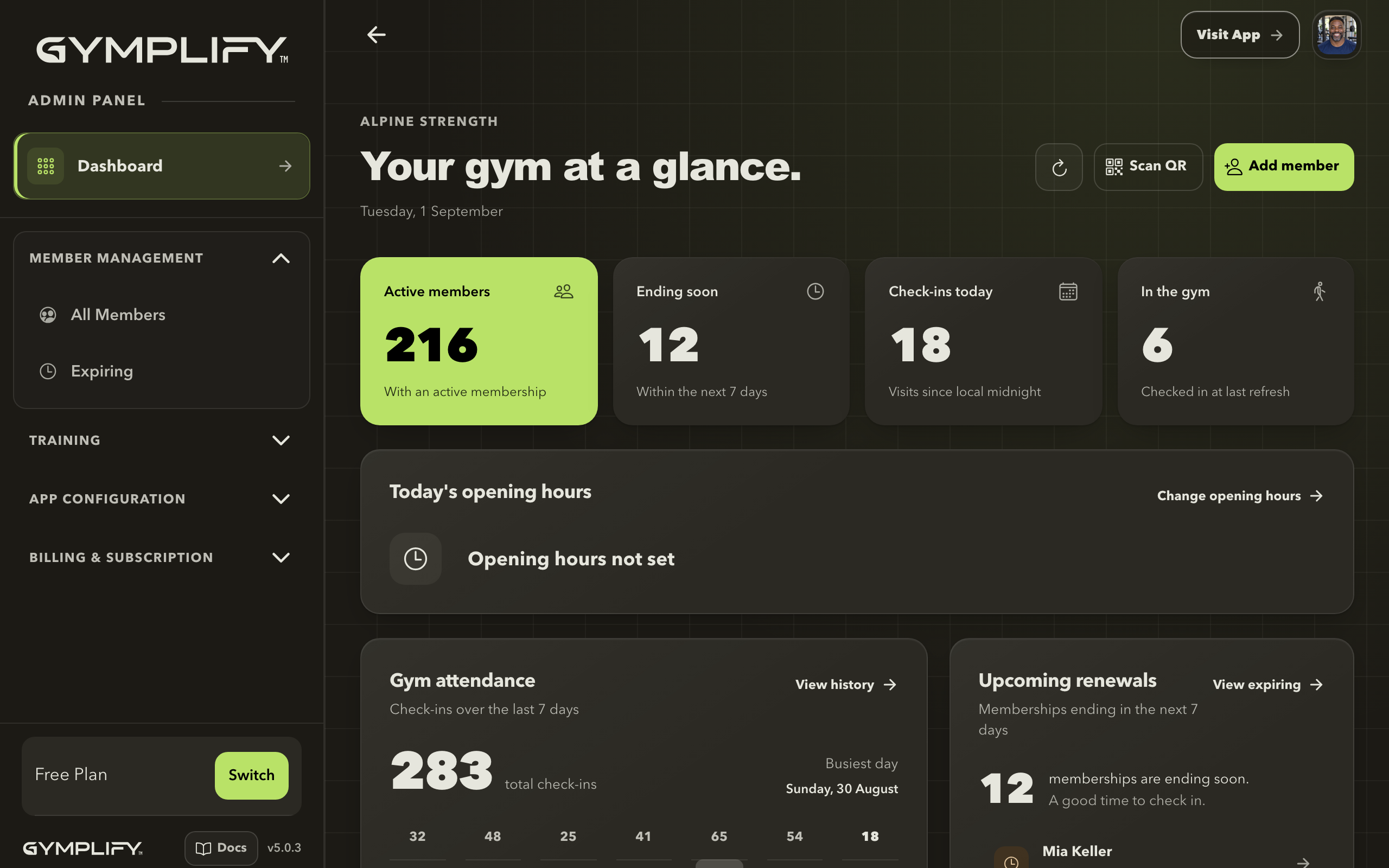
The Admin Panel on a larger screen
Staff can review the gym dashboard and navigate to member management, training, and the configuration available to their role.
iPhone and iPad
Download Gymplify from the Apple App Store. Check the listing's compatibility section for supported devices and operating systems.
A tablet gives coaches room to review a member's managed workouts during a session.
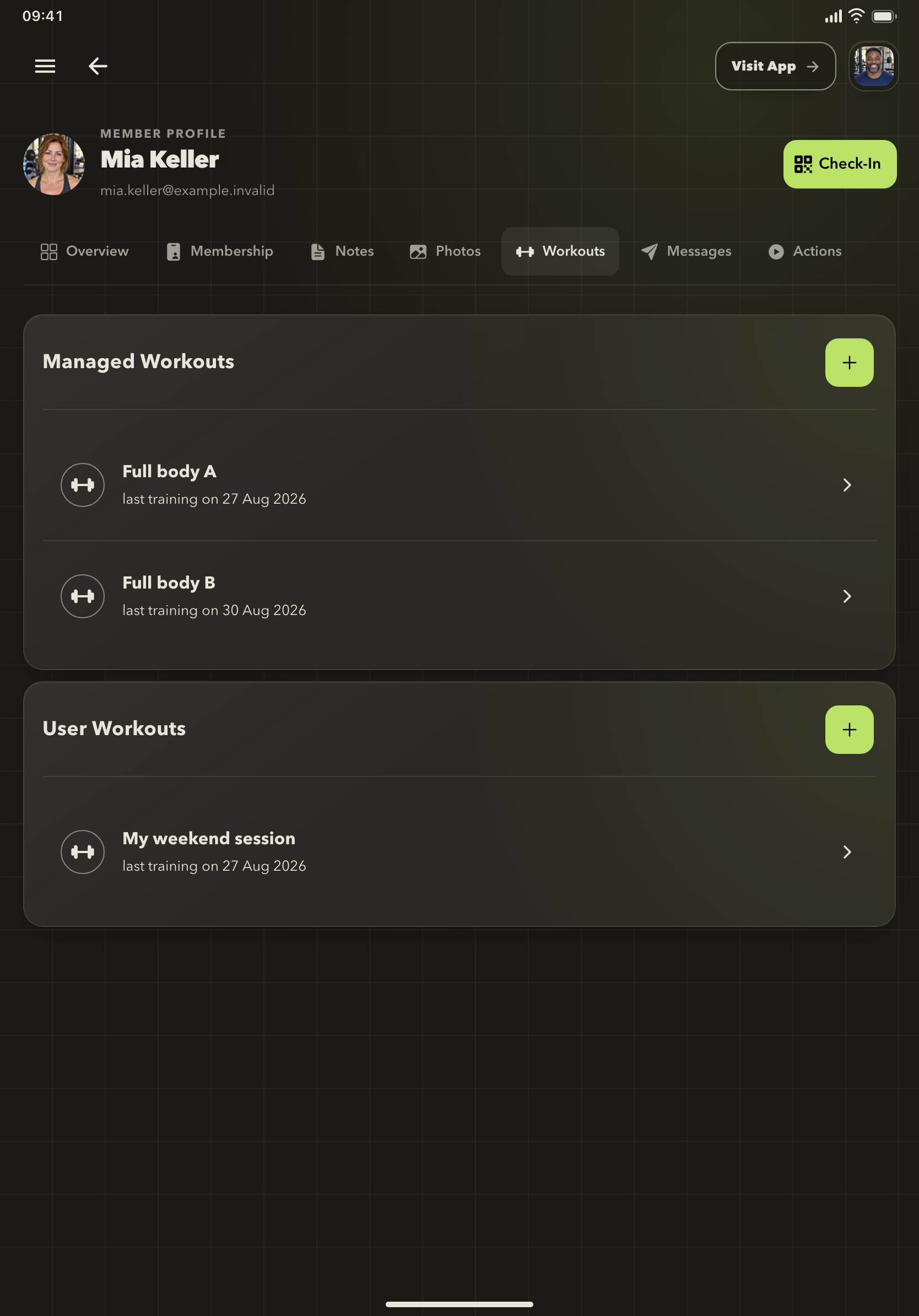
Coaching on a tablet
The member's workout list keeps their managed training available while you work together.
Android
Download Gymplify from Google Play. Keep both the app and your device's system components up to date.
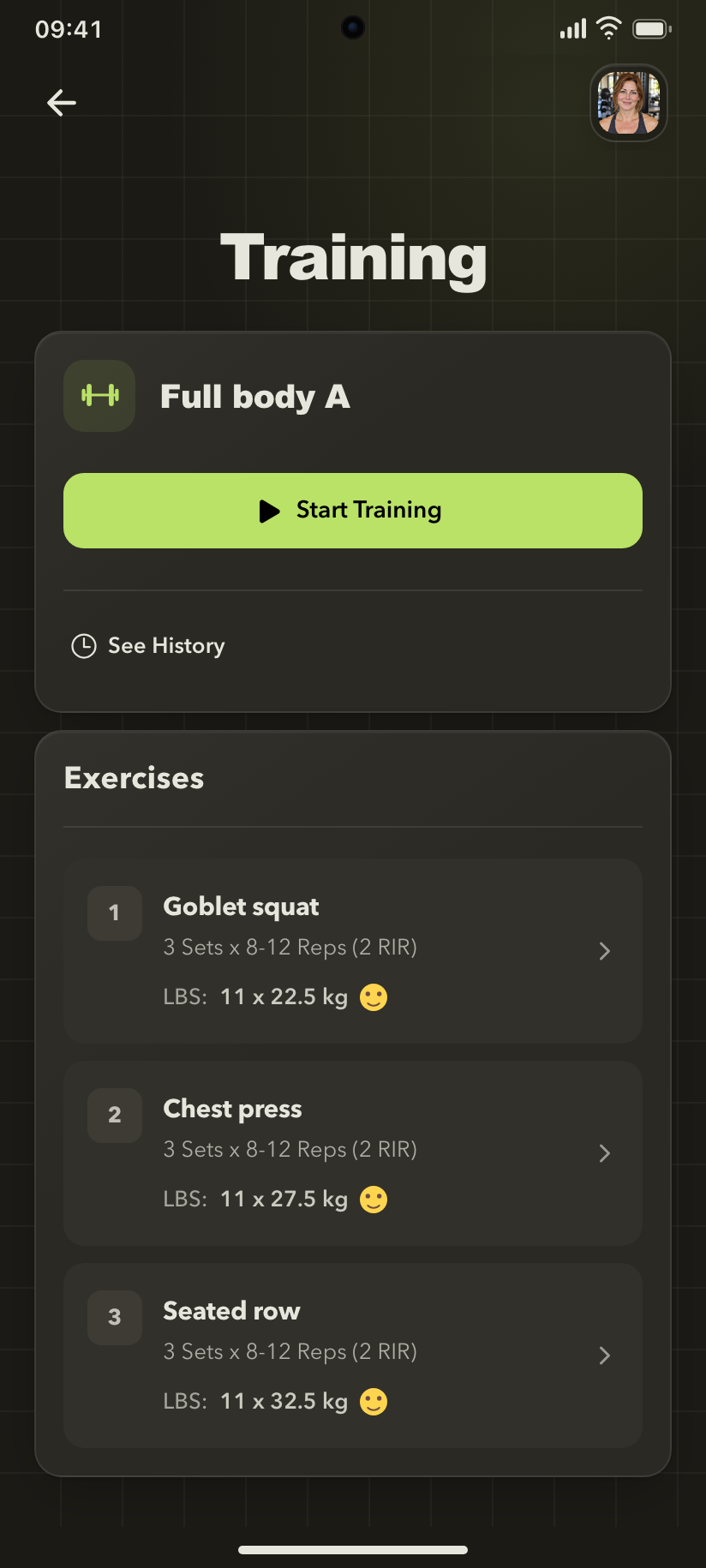
Training on your phone
A member can follow the exercise list, see targets, and open an exercise to record the session.
Your gym has a branded app
Use the app name and download links supplied by your gym. Learn how branded apps relate to Gymplify.
Having trouble opening the app?
Check the device and browser guidance. For a missing gym or missing staff tools, follow access troubleshooting.