
Staff and owner guide
Use the Admin Panel to work with your gym's members and operations. This guide is for gym owners and the team running the gym, coaching members, and managing the front desk.
Staff can have different roles and permissions. The tools available to you depend on the access assigned to your account. Understand staff access.
Start with the right gym and view
Sign in to your own account, select the gym you work with, and open the Admin Panel. If you only see your own member view, ask the person who manages team access to check your permissions.
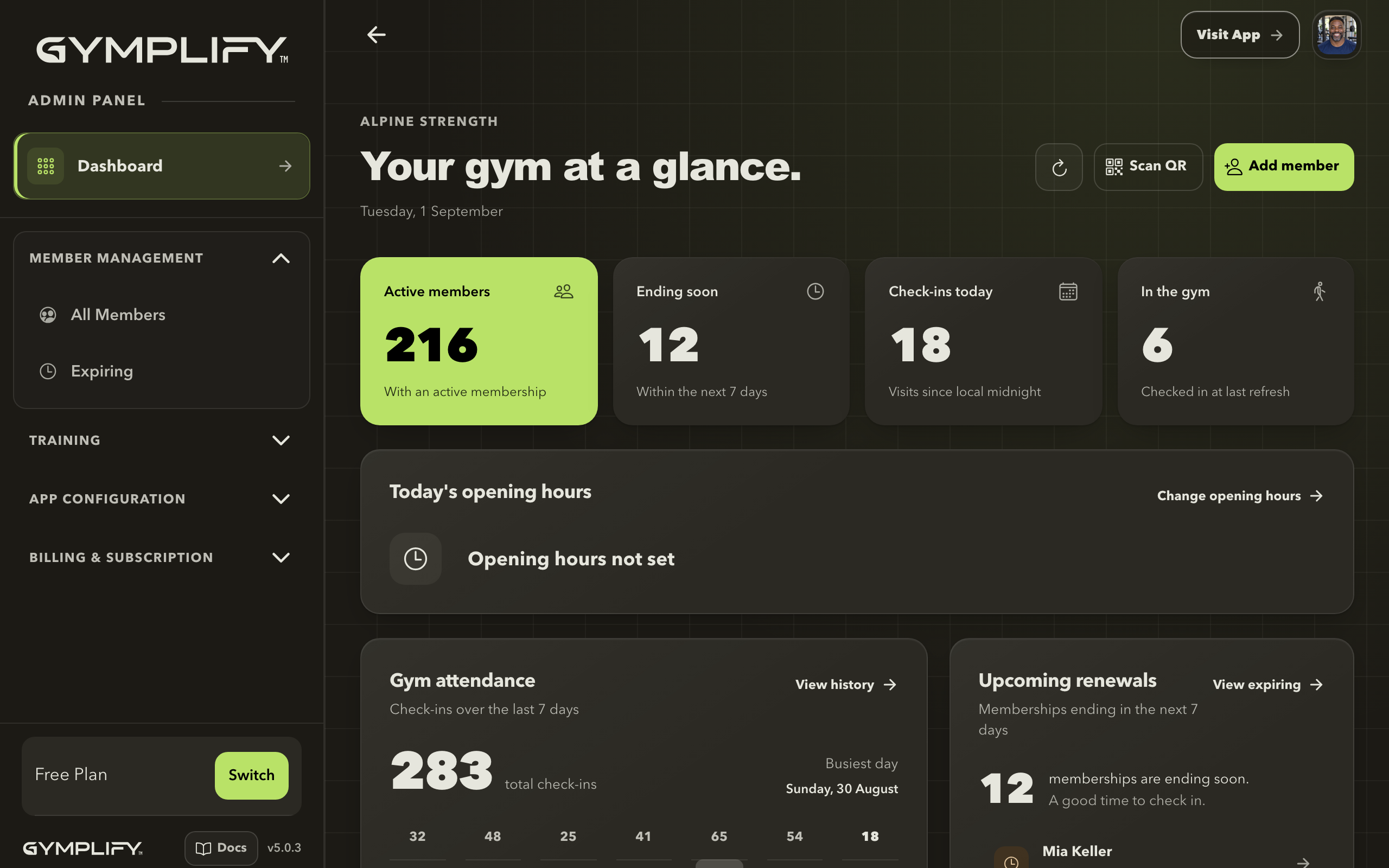
Your starting point for daily operations
The dashboard brings together member status, today's check-ins, attendance, and upcoming renewals.
Set up your gym
If you are setting up the gym, work through these steps in order:
- Create the gym's app.
- Configure the member experience.
- Publish opening hours and, if you offer classes, set up events.
- Give your team the access they need.
- Add members and record their memberships.
Run the front desk
- Find, add, or link a member.
- Add a membership, record a payment, or manage a pause.
- Check in a member and review attendance.
- Send a message or attachment.
- Add a credit pack or gift credits.
Run classes and events
- Turn on Events and schedule single or recurring events.
- Set up rooms and block time.
- Add and publish coach profiles.
- Mark pay-at-gym bookings paid and review attendees.
- Accept online payments, where available.
Coach a member
- Review and manage their workouts.
- Understand the member's training flow.
- Explain body metrics and progress tracking.
Open the member's profile before making changes, and confirm the name at the top of the screen.
Manage the business's app
Staff with configuration access can maintain the gym's settings. The person responsible for billing manages the gym's Gymplify subscription; that is separate from individual gym memberships.
App configuration · Website · Shop · Wi-Fi · Push notifications · Plans and billing · Dedicated App
Using Gymplify for your own training? Switch to the gym member guide.