
Credit packs
For staff who manage credits. A credit pack is a bundle of credits, such as a 10-class pass. Members use credits to book events that accept credit packs. Packs are separate from memberships: a member can have credits without a membership.
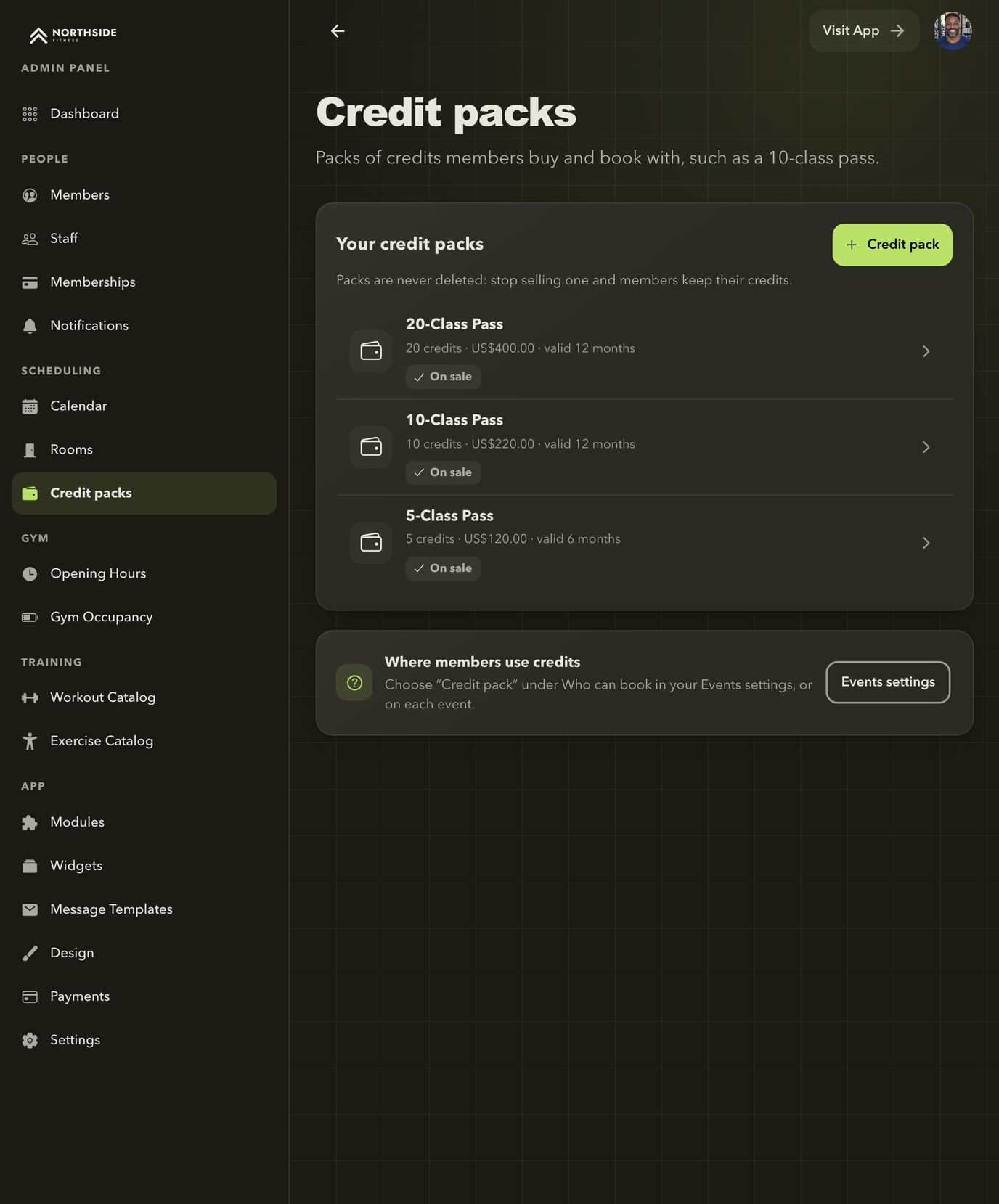
Your credit packs
Each pack shows its credits, price, validity and whether it is on sale. Packs are never deleted: stop selling one and members keep their credits.
Credit packs is available on every plan. Turn it on under App → Modules after you have set up Events.
Create a pack
- Open Scheduling → Credit packs and select + Credit pack.
- Enter the Name, the number of Credits, Valid for (months), the Currency and the Price.
- Select Save.
Packs are never deleted. To stop offering one, open it and tick Stop selling this pack; members keep the credits they have.
Then choose Credit pack as a payment option in the event settings or on each event, with its Credit cost per booking.
Add a pack to a member
- Open People → Members, select the member and open Credits.
- Select Add credit pack.
- Choose the Credit pack and the Purchase date.
- Tick Payment received if the member has paid, and choose the Payment method.
- Select Add credit pack.
Adding a pack does not collect money. Take payment through your gym's usual process. Credits become available once the payment is recorded. For an unpaid pack, select Record payment later and confirm with Confirm payment received. Validity counts from the purchase date, not the payment date.
Gift credits
Select Gift credits, enter the number of Credits, an Expiry date and a Reason, then confirm. Use this for make-up sessions or goodwill.
Review a member's balance
The member's Credits tab shows the Balance, the Next expiry and any Membership visits in the current period. Credit history lists every credit added, used and returned.
Credits are used soonest-expiring first. Credits returned after a cancellation keep their original expiry.
Members buying packs online
Where online payments are available and your gym has connected Stripe and turned on Pay online when booking, members can buy packs by card under Credits & packs in the app. Packs bought online are not refunded in the app.
Next: What members see.