
Train with Gymplify
For gym members. If you plan workouts for other people, use the staff training guide.
Choose a workout
Open Workout from your gym's home screen and choose the workout you want to follow. Your list may include workouts managed by your trainer and workouts you have created yourself.
Review the exercise order and targets before you start. Ask your trainer if the plan or an exercise is unclear.
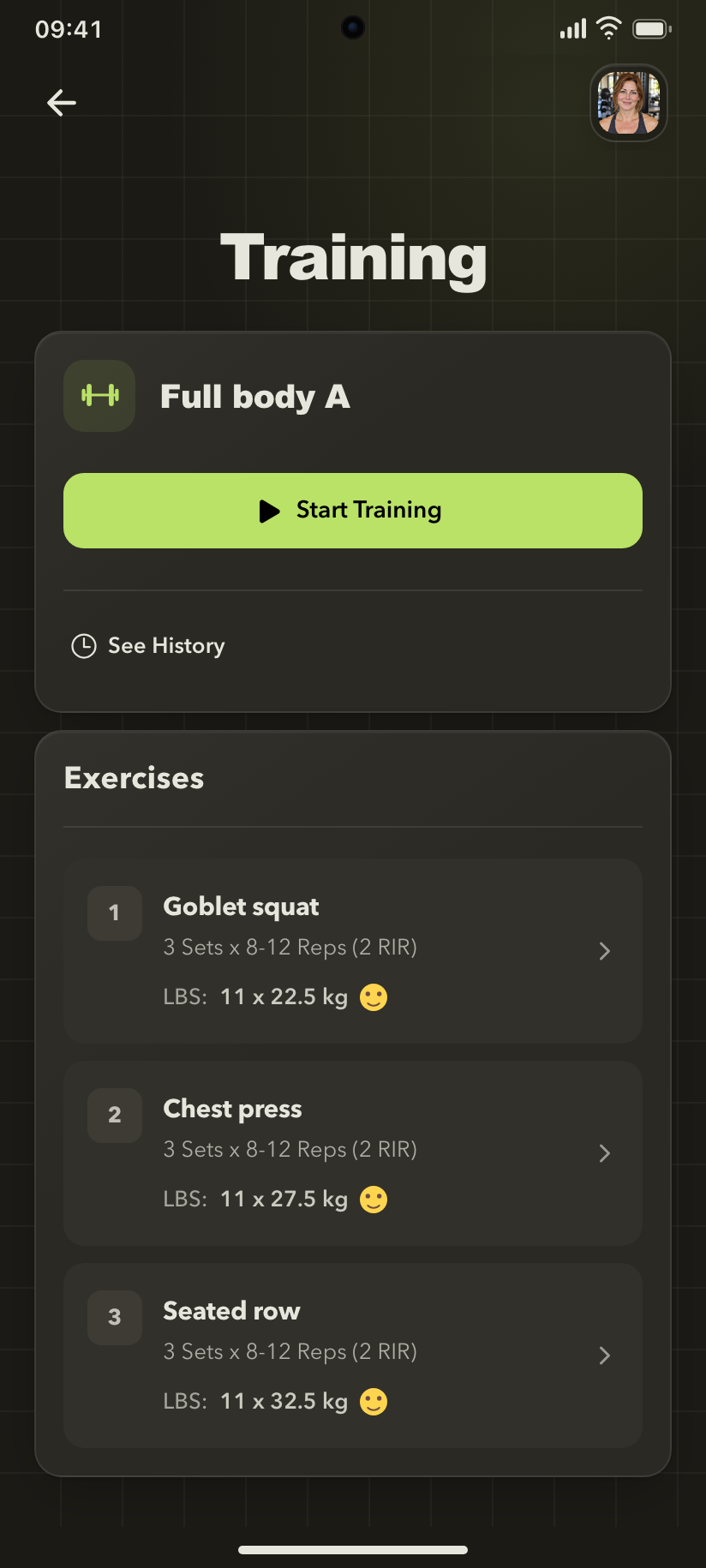
Follow the workout plan
The exercise list shows the planned work and previous training information so you can prepare for the next exercise.
Record an exercise
- Open an exercise in the workout.
- Review the target sets, repetitions, and any instructions shown.
- Record the completed set using the available fields, such as weight and repetitions.
- Add the feedback requested by the recording controls.
- Confirm the entry and continue with the next set or exercise.
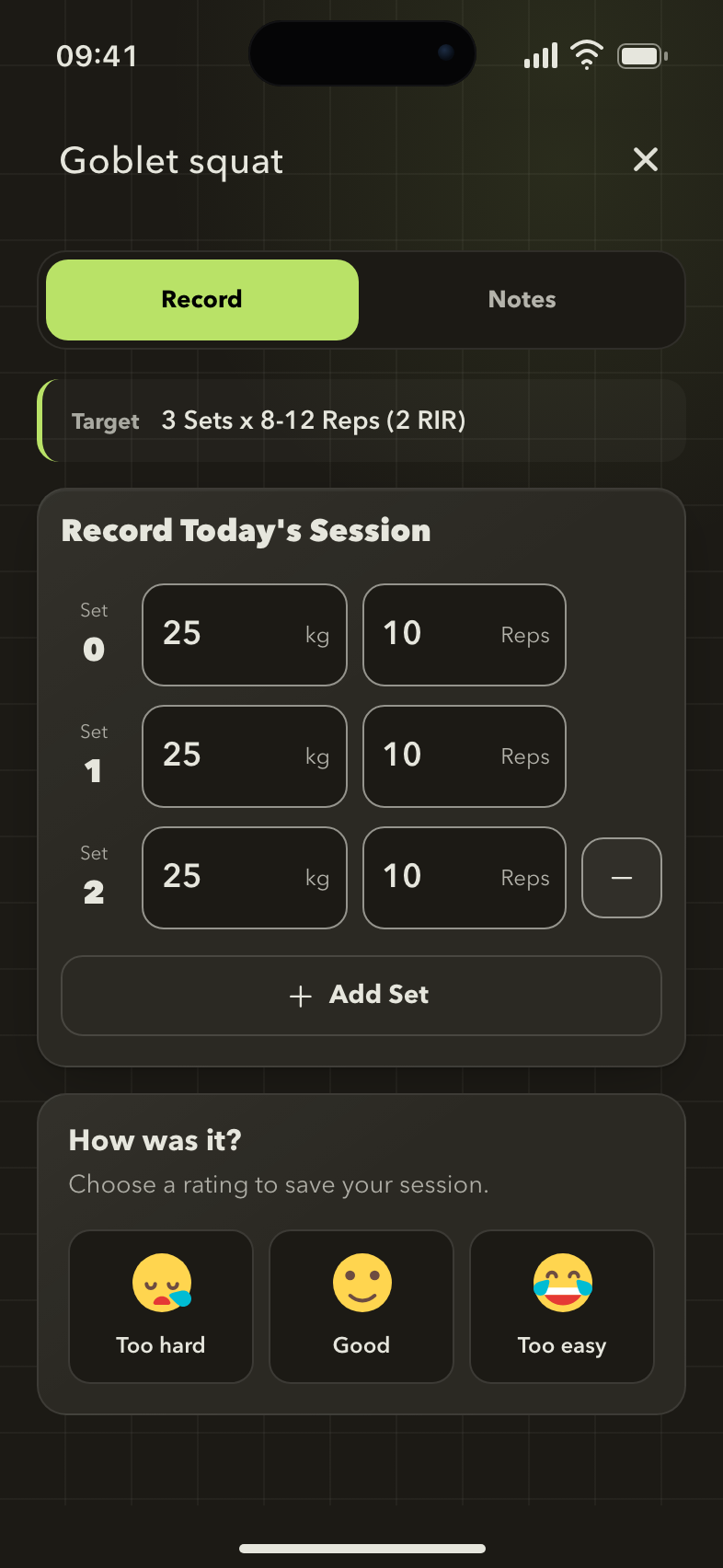
Record what you completed
Keep planned targets and recorded results distinct. Enter the work you actually completed for each set.
If a field asks for RIR, it means repetitions in reserve: your estimate of how many more repetitions you could have completed at the end of that set.
Use your trainer's instructions when deciding what to record. A target in the app is the plan, not a record of a completed set.
Review your history
Open the workout's history to review earlier sessions. Previous entries help you and your trainer compare recorded performance over time.
If an entry is missing, check that you selected the correct gym and workout.
Create or change your own workout
Use the available add and edit actions in your workout list to maintain your own training. The gym can also provide exercises and workouts through its catalogs.
For a workout managed by your trainer, ask them to adjust the plan when needed.
Training is unavailable
Your gym may have disabled Training or limited access based on membership status. Ask staff to check the gym's settings and your membership.