
Your membership
For gym members. Your gym membership is the agreement you have with your gym. It is separate from the software subscription the business pays to use Gymplify.
View your membership
Open Your Membership in the selected gym. Review the status, validity dates, and the plan and payment details shown.
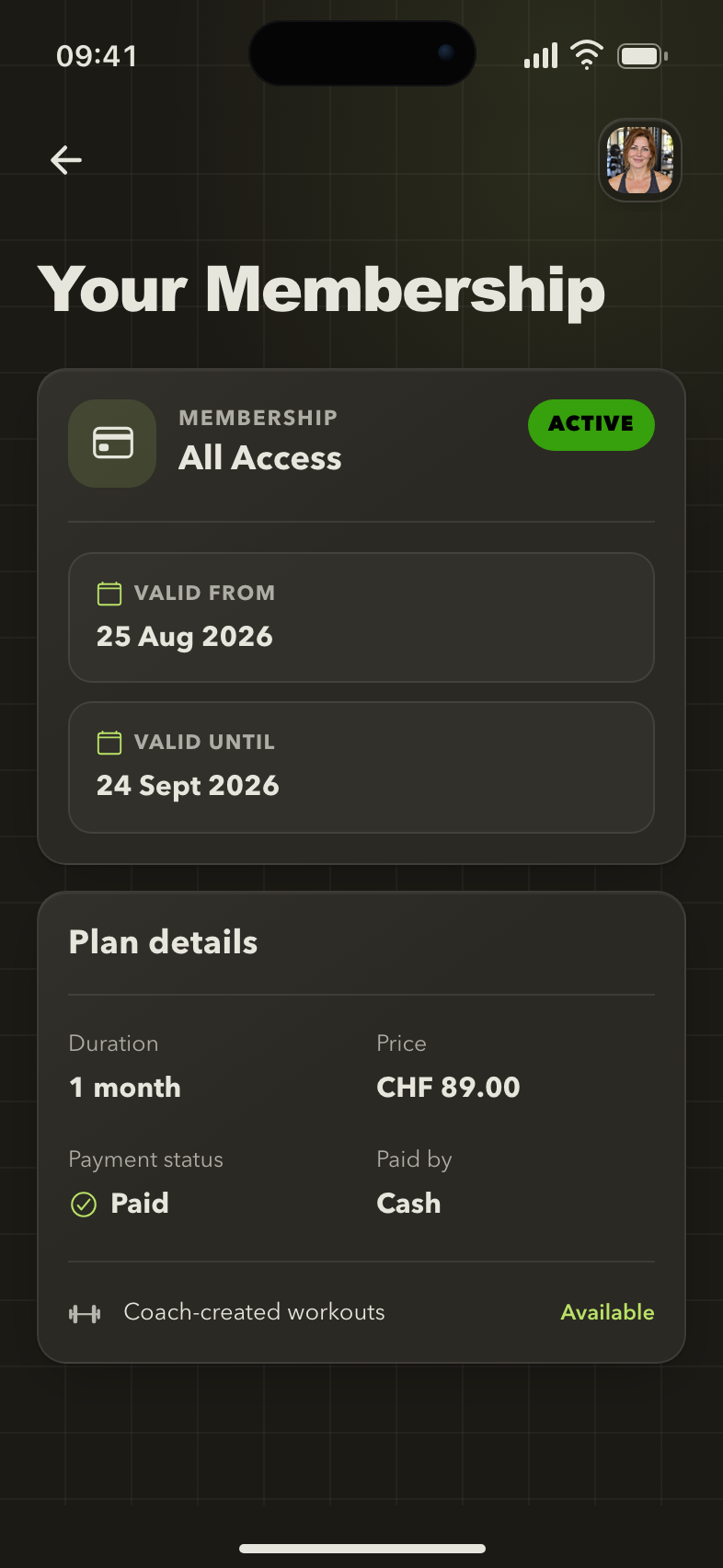
Your membership at a glance
The member view shows membership status, dates, and plan details, with a link to previous memberships.
If you belong to more than one gym, check which gym you have selected. Each manages its own memberships.
See previous memberships
Select Show older memberships to open Membership History, with your previous plans and payment details. A membership that starts later appears as an Upcoming membership on your membership page.
Your check-ins are listed separately under your visits.
If the page reports a loading error, use its retry action. An empty history means there are no entries available in that view.
Change, extend, or pause a membership
Contact your gym's staff. They manage membership changes, extensions, and permitted pauses.
If you have paid but the app still shows an outstanding payment, give staff the details they need to check their record. The payment status in the app is a record maintained by the gym.
No active membership is shown
An account connection and an active membership are separate. You can be connected to the gym before staff add your membership.
Check the selected gym and ask staff to verify the linked profile, membership dates, and any pause. Do not create another account to fix a membership record.
A feature is unavailable
The gym can make some services depend on an active membership. Staff can explain your access and check the relevant settings.
Next: Check in and plan your visit.