

Your account and your gym's app
A Gymplify account identifies you when you sign in. A gym app holds one gym's member profiles, memberships, workouts, settings, and branding. Earlier documentation calls this an app instance.
How the pieces fit together
| Term | What it means |
|---|---|
| Gymplify account | Your personal sign-in, used across connected gyms. |
| Gym app or app instance | One business's space in Gymplify. |
| Member profile | The record that a gym maintains for a person. It can exist before that person creates an account. |
| Gym membership | The person's membership with that gym, including validity and payment information. |
| App role | The permissions a person has within a particular gym, including which staff tools they can use. |
| Gymplify subscription | The software plan the business uses to run its gym app. |
| Dedicated App | A separately published app with the gym's own name and branding. |
Creating an account does not purchase a gym membership. Connecting to a gym does not automatically give you staff permissions.
Connect an account to a gym
Staff link your account to the gym when you show your join QR code. If the gym already has a profile for you, ask staff to connect that record so your existing information stays together.
A gym can also create a member profile without an account. The person can register and link their account later.
Belong to more than one gym
In the shared Gymplify app, My gyms on your account home lists the gym apps connected to your account. Choose the gym you want to use before recording a visit or working with its members.
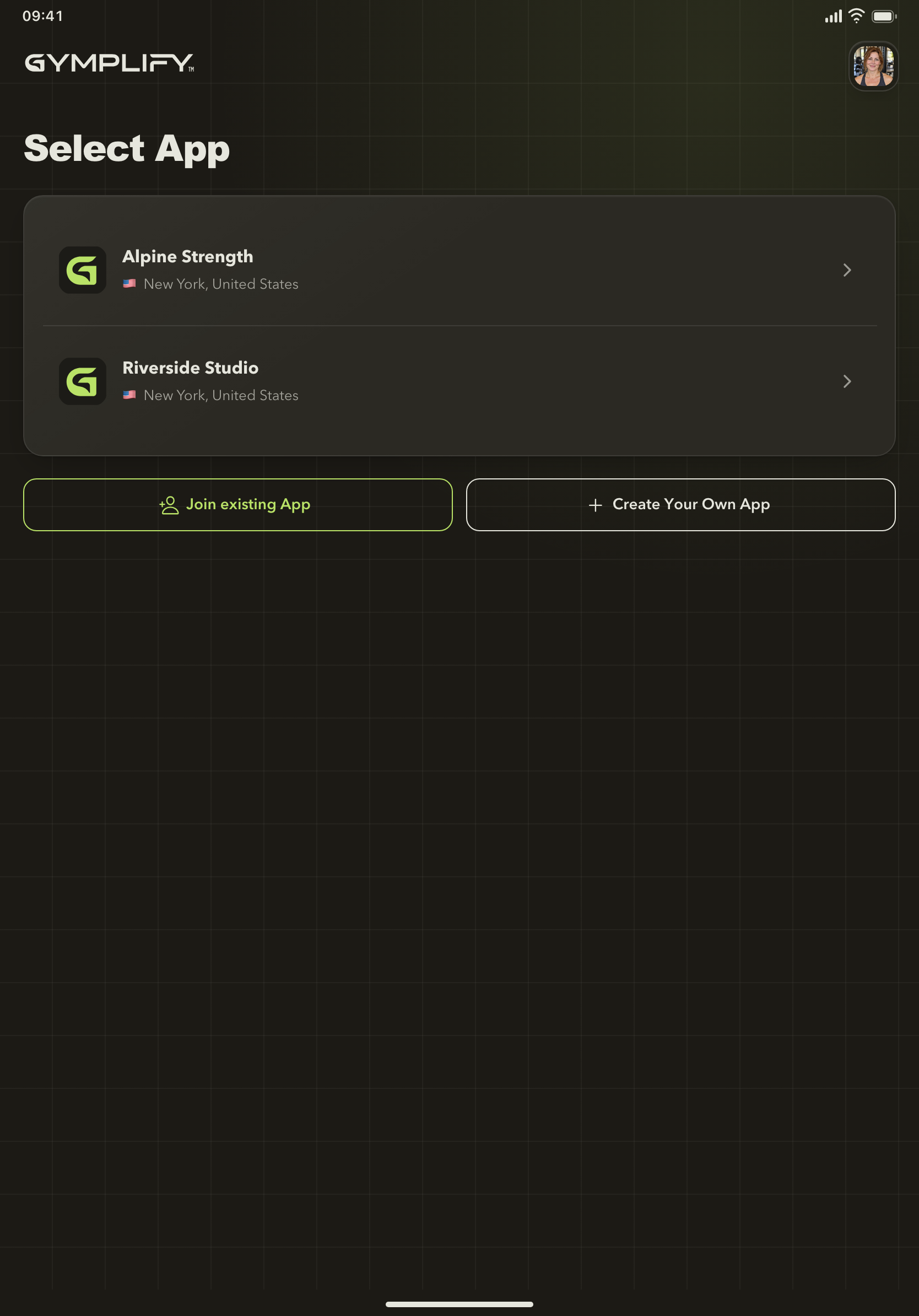
Choose the correct gym
The shared Gymplify app can connect one account to multiple gym apps. Select the gym whose records and services you want to use.
Each gym controls its own records, memberships, settings, and your role there. A membership at one gym does not grant membership at another.
Use a Dedicated App
Your gym may provide an app under its own name. It uses the Gymplify platform while focusing the experience on that gym. Follow the download link supplied by your gym.
For businesses, the Dedicated App is an additional publishing option. You can start using Gymplify without ordering one.