

Delete your account and data
For anyone considering account deletion. Read the confirmation carefully: deleting your Gymplify account affects every gym connected to that account.
If you only need to change or cancel a gym membership, contact that gym's staff first.
Delete your Gymplify account
- Sign in and open your avatar menu.
- Choose Account.
- Select Delete Account.
- Read the deletion explanation and resolve any blocking reason shown.
- Type DELETE and confirm only if you want to proceed.
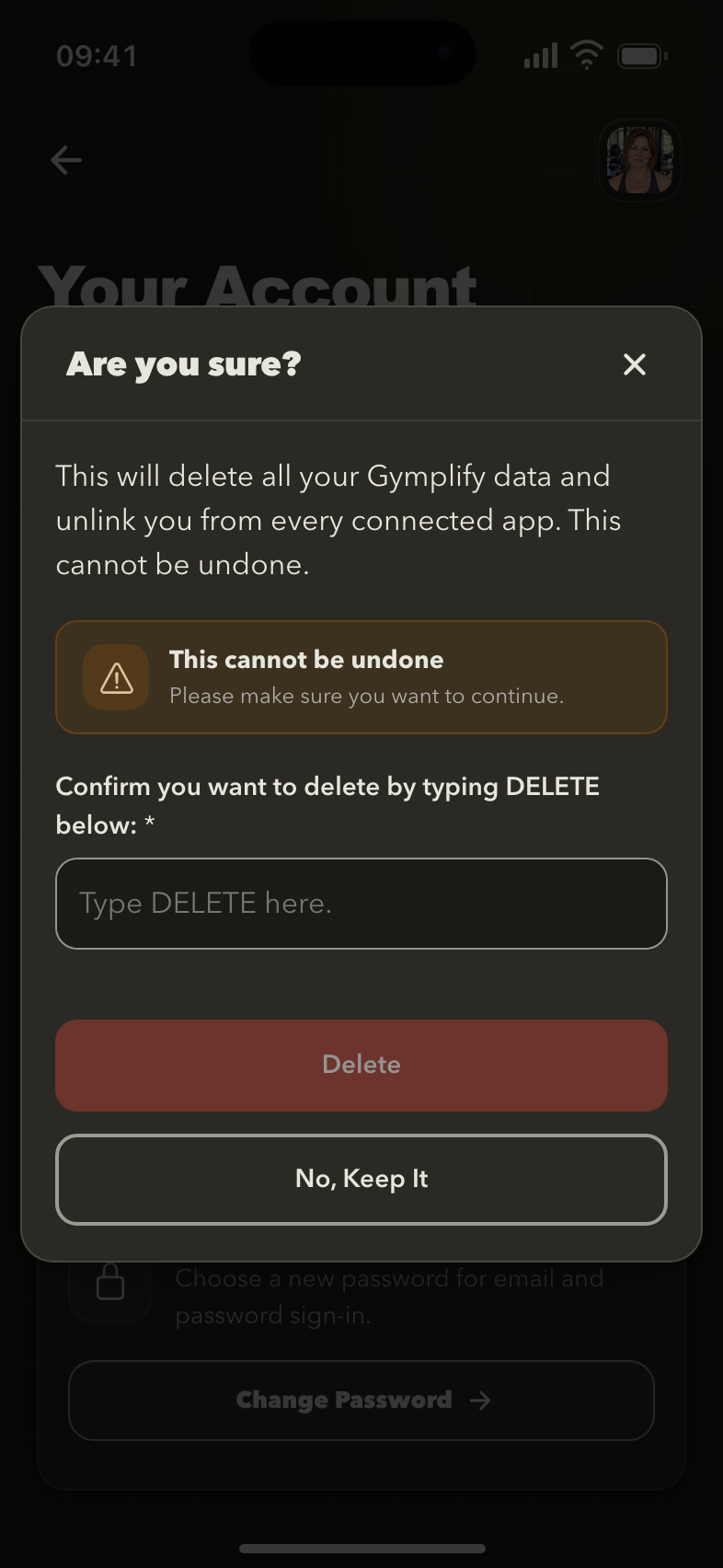
Review the deletion confirmation
The app requires an explicit confirmation before deleting the account and unlinking it from connected gym apps.
Account deletion cannot be undone. It removes your account and your connection to the gym apps associated with it.
If you own a gym app
The app blocks account deletion while you still own gym apps. Resolve ownership or the app's closure first. Contact Gymplify if you need help with the correct process.
Do not delete an account to work around a billing or ownership issue.
Records managed by your gym
A gym may hold records it created to manage your membership or its relationship with you. Contact that gym directly to request removal of gym-managed information.
A staff action that deletes a member's data from one gym app is different from deleting the person's Gymplify sign-in account.
Need help?
Email hello@gymplify.com for help with account deletion. For the applicable documents, see Terms and privacy.